Quotr.ai vs Excel: Why Estimators Are Leaving Spreadsheets
If you’ve been estimating for more than a few years, you built your process in Excel. You know where everything lives. You have formulas that took months to get right, tabs you’ve refined job after job, and a system that technically works.
So why are experienced estimators — people who know Excel cold — switching to AI construction estimating software?
It’s not because spreadsheets are bad. It’s because the job has changed faster than spreadsheets can keep up with. More bids, tighter windows, thinner margins, and a competitor down the street who’s turning around takeoffs in 20 minutes while you’re still on sheet 4.
This post is an honest comparison. Where Excel still holds up, where it breaks down, what Quotr.ai actually replaces, and what it doesn’t. If you’re on the fence, this is the read that should settle it.
Table of Contents
- What Excel Actually Gets Right
- Where Spreadsheets Break Down
- The Hidden Costs of Excel Estimating
- What Quotr.ai Replaces (and What It Doesn’t)
- Head-to-Head: Quotr.ai vs Excel
- The Workflow Shift in Practice
- Who Should Make the Switch
- Bottom Line
1. What Excel Actually Gets Right
Let’s be honest before we’re critical.
Excel is flexible in a way that almost no software can match. You can model any cost structure, build any formula, and organize a bid exactly the way your brain works. There’s no vendor telling you how a job should be structured — the sheet does what you tell it.
It’s also universally understood. Every estimator, PM, and owner you’ll ever work with can open an Excel file. No logins, no training, no compatibility issues.
And for smaller operations doing low bid volumes on familiar job types, a well-built Excel template genuinely works. The formulas are fast, the format is familiar, and the output is presentable.
The problem isn’t Excel the calculation engine. The problem is Excel the takeoff tool — and the hidden costs that pile up when you use a general-purpose spreadsheet to do a job that purpose-built software now does better.
2. Where Spreadsheets Break Down
The takeoff still happens outside Excel
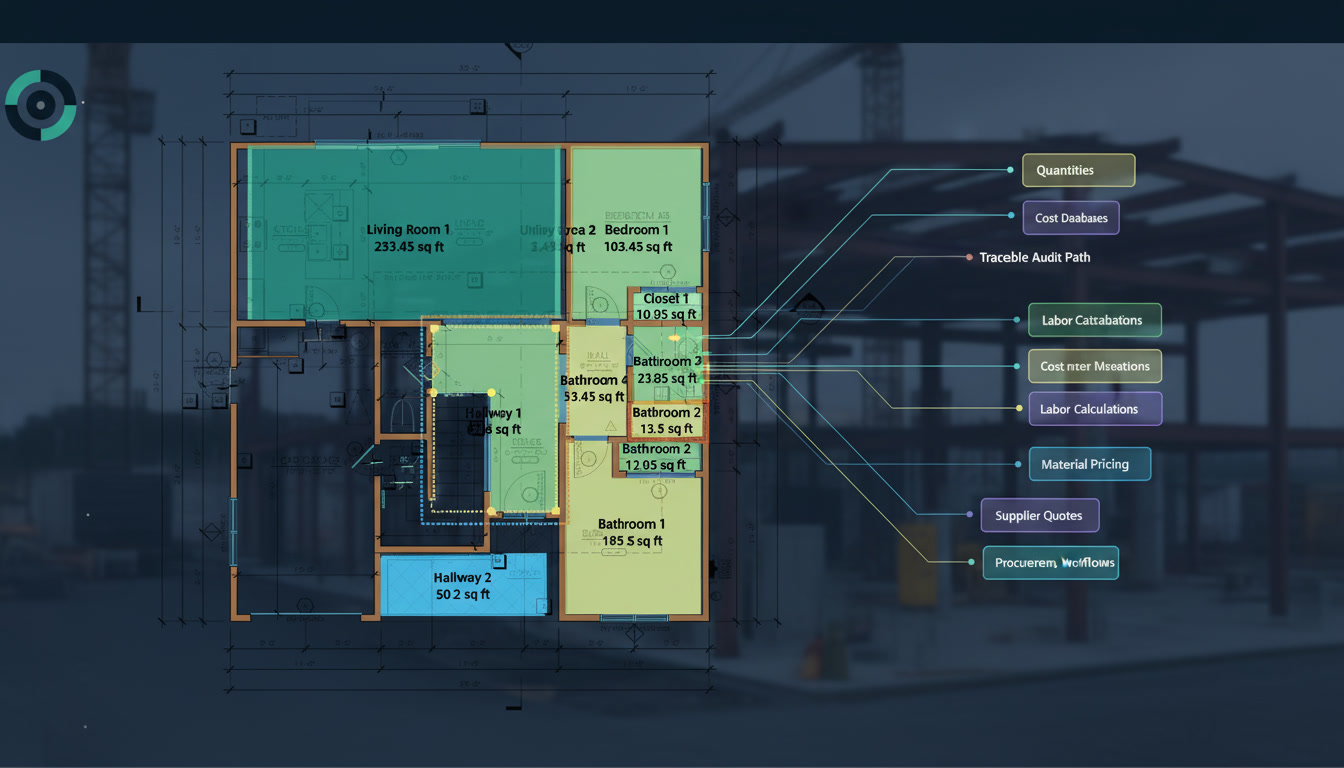
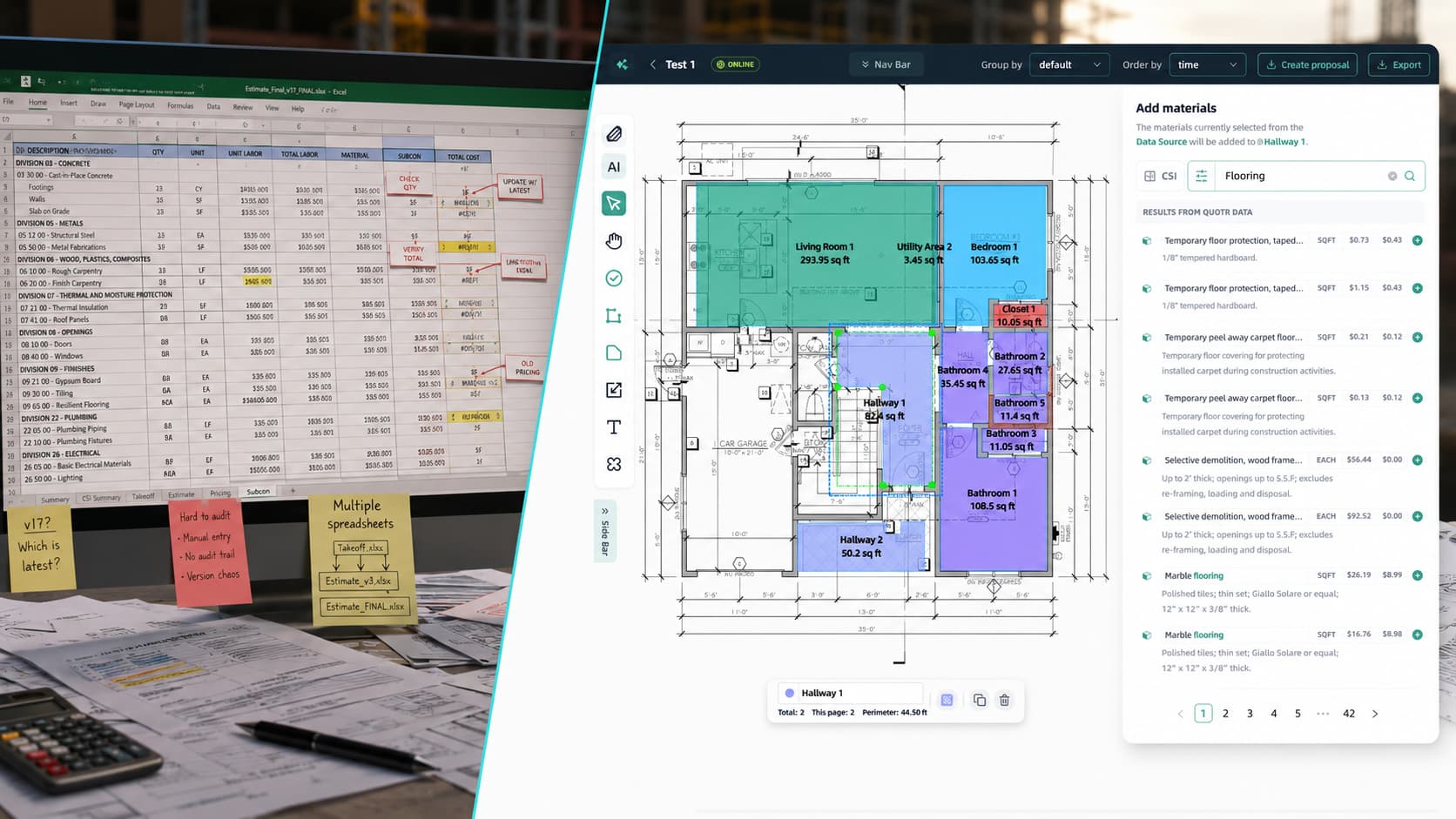
Here’s the thing most Excel defenders overlook: Excel doesn’t do the takeoff. You do. Excel is where the numbers land after you’ve already counted everything by hand, measured every linear foot, and calculated every area on the plan set.
That means the most time-consuming, error-prone part of estimating — the part that determines whether your bid is right or wrong — happens entirely outside your spreadsheet. Excel has no visibility into it. It can’t check your counts. It can’t flag a missed sheet. It just accepts whatever numbers you type.
Manual entry creates compounding error risk
Every number that travels from a plan to a spreadsheet by hand is an opportunity for a mistake. A misread dimension. A transposed digit. A count that’s off by one on a symbol type that appears 80 times. Excel will calculate those errors with perfect precision and never tell you something’s wrong.
On a complex bid, you might have hundreds of manual entries. Each one is a risk. And unlike a digital takeoff tool, there’s no audit trail — no way to click a number and see where it came from.
Spreadsheets don’t scale with bid volume
If you’re doing five bids a week, a well-built Excel workflow can keep pace. At ten, fifteen, or twenty bids a week, the math stops working. Each bid still requires the same manual hours. There’s no leverage. The only way to bid more is to hire more people or work more hours — both of which compress margin.
Version control is a constant liability
How many times has a formula broken because someone saved over the master template? How many bids have gone out with last week’s material prices because nobody updated the lookup table? How many tabs have been accidentally deleted and quietly rebuilt from memory?
Version control in Excel is entirely manual. And in a busy estimating department, “entirely manual” means “frequently wrong.”
Collaboration breaks down fast
Excel estimating is fundamentally single-user. When two people need to work on the same bid, you get emailed versions, naming conventions like Final_v3_REVISED_USE THIS ONE.xlsx, and the low-grade anxiety of never being sure which file is current. For any team larger than one, this is a daily tax on productivity.
3. The Hidden Costs of Excel Estimating
The direct cost of Excel is nearly zero. The indirect costs are significant — and most contractors have never added them up.
Estimator hours on manual takeoff. A mid-size commercial bid can take 4–8 hours of takeoff time before a single number hits the spreadsheet. At a loaded labor cost of $60–$100/hour for an experienced estimator, that’s $240–$800 per bid in takeoff labor alone. Multiply by bid volume and the number gets uncomfortable fast.
Errors that make it to bid. A 3–5% quantity error on a $500,000 bid is $15,000–$25,000. On a low-margin job, that’s the difference between a profitable project and a problem. Industry data consistently shows that manual takeoff errors are a leading cause of margin bleed — not bad execution, but bad counts.
Bids you don’t chase. Every estimator has a list of jobs they didn’t bid because there wasn’t time. That’s lost revenue with no line item on a P&L — invisible, but real. When takeoff takes 6 hours per bid, opportunity cost is enormous.
Onboarding new estimators. A new hire working in someone else’s Excel template is working blind. Undocumented formulas, custom logic embedded in cells, tabs that reference tabs that reference other tabs. The institutional knowledge baked into a mature Excel estimating system doesn’t transfer — it has to be reverse-engineered.
4. What Quotr.ai Replaces (and What It Doesn’t)
We’d rather be precise about this than oversell it.
What Quotr.ai replaces:
- Manual symbol counting from plan sets
- Manual linear measurement of walls, conduit, piping, fencing
- Manual area calculation for flooring, roofing, drywall, finishes
- Hand-keying quantities into a spreadsheet
- Hunting for errors after a count doesn’t feel right
- Re-doing takeoffs when plan sets are revised
What Quotr.ai doesn’t replace:
- Your estimator’s judgment on scope, allowances, and site conditions
- Your pricing strategy and markup decisions
- Your relationships with subs and suppliers
- Your read on which jobs are worth chasing
The goal isn’t to remove the estimator from the process. It’s to remove the counting from the estimator’s day so they can spend their hours on the work that actually requires their experience.
5. Head-to-Head: Quotr.ai vs Excel
| Dimension | Excel | Quotr.ai |
|---|---|---|
| Takeoff method | Manual — estimator counts and measures by hand | AI — computer vision reads the plan set automatically |
| Takeoff speed | 4–8 hours for a mid-size set | 5–25 minutes, plus human review |
| Accuracy | 92–96% under normal conditions; lower with fatigue | 95–99% on vector PDFs; 80–88% on scanned sets without review |
| Audit trail | None — numbers entered manually with no source link | Full — every count links back to its plan location |
| Confidence scoring | None | Per-item confidence score on every quantity |
| Material pricing | Manual lookup or static table | Factory-direct, regularly updated pricing built in |
| Version control | Manual — file naming conventions, email chains | Automatic — every run is tracked and stored |
| Collaboration | Single-user; sharing creates version risk | Multi-user, cloud-based |
| Bid volume scaling | Linear — more bids require more hours | Nonlinear — AI handles the count regardless of volume |
| Error detection | None — Excel calculates whatever you enter | Flags low-confidence items before the bid goes out |
| Learning curve | High for new hires on custom templates | Consistent — new users work from the same interface |
| Cost | Near zero (software) + high estimator labor | Subscription + significantly reduced takeoff labor |
6. The Workflow Shift in Practice
Here’s what the same bid looks like before and after the switch, based on what we see from contractors who’ve made the transition.
Before (Excel-based):
- Print or open plan set
- Manually count symbols, mark off as you go
- Manually measure linears with a scale or digitizer
- Calculate areas by hand or with a planimeter
- Key all quantities into Excel
- Build out costs using pricing lookups
- Review for obvious errors — maybe
- Submit bid
Total takeoff time: 4–8 hours. Error catch rate: dependent on how tired you are.
After (Quotr.ai + Excel or Quotr.ai end-to-end):
- Upload plan set to Quotr.ai
- AI runs takeoff: counts, linears, areas extracted automatically
- Review flagged low-confidence items (typically 10–15 minutes)
- Export quantities — into Quotr.ai’s costing workflow or your existing bid sheet
- Apply markup and strategy
- Submit bid
Total takeoff time: 20–40 minutes including review. The estimator’s hours shift from counting to reviewing, costing, and chasing the next job.
The contractors we see pull the most value from this aren’t the ones who eliminate their estimators. They’re the ones who let their estimators bid twice as many jobs in the same week.
7. Who Should Make the Switch
The case for switching is strongest if:
- You’re turning down bids because you don’t have enough takeoff hours
- You’ve lost a job traced to a quantity error
- Your estimator is spending more than half their day on counting rather than strategy
- You’re onboarding new estimators and your Excel templates aren’t transferring well
- You’re doing high-volume bidding on repetitive plan types (multifamily, light commercial, tract residential)
- You’re a subcontractor bidding 10+ jobs per week and speed is a competitive differentiator
Excel might still be the right call if:
- You’re doing very low bid volume (under 5 per week) with long lead times
- Your jobs are highly custom and require significant scope judgment before quantities even matter
- You have a mature, well-built Excel system and your current win rate and margin are where you want them
There’s no shame in the second category. Not every operation is at the volume where AI estimating pays for itself immediately. But if you’re in the first category and still using Excel, you’re leaving time and margin on the table every week.
8. Bottom Line
Excel is a great tool being asked to do a job it wasn’t built for. The calculation engine is fine. The manual takeoff process it requires is the problem — slow, error-prone, unauditable, and impossible to scale without adding headcount.
AI construction estimating software doesn’t replace the estimator. It replaces the counting. And when counting takes 6 hours and AI takes 20 minutes, the estimator gets their day back — to review more carefully, bid more jobs, and focus on the decisions that actually require their experience.
The contractors leaving spreadsheets aren’t abandoning what made them good at this job. They’re removing the part that was never a good use of their time in the first place.
Want to see what your current Excel workflow looks like against Quotr.ai on a real plan set? Start a trial and bring a completed job — we’ll run the same set through both and let the numbers speak.
Related reading:
- AI Construction Estimating Software: Buyer’s Guide
- Is AI Takeoff Actually Accurate Yet? Honest 2026 Answer
- Construction Estimating Mistakes to Avoid