
Sometimes in Quotr, setting a custom drawing scale is necessary. This is when either a scale is not directly listed on the document or if it was a hand-drawn plan. The tool to do this can be found in the top right of the drawing workspace, as seen below:
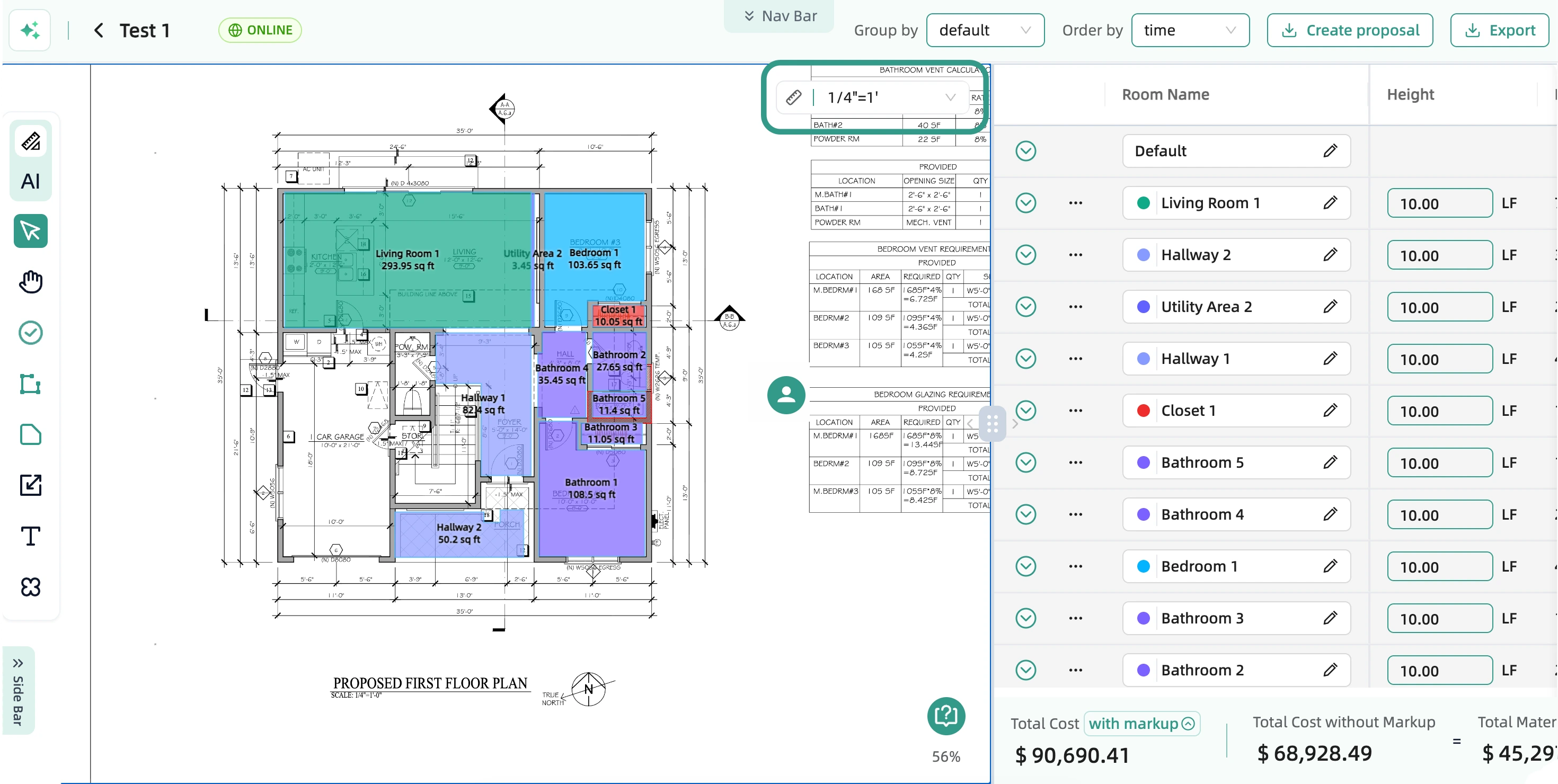
Click on the little ruler on the left side of that dropdown, and then you can use the tool to draw a length that you know on the document. I.e. a length that you know is 12 feet.
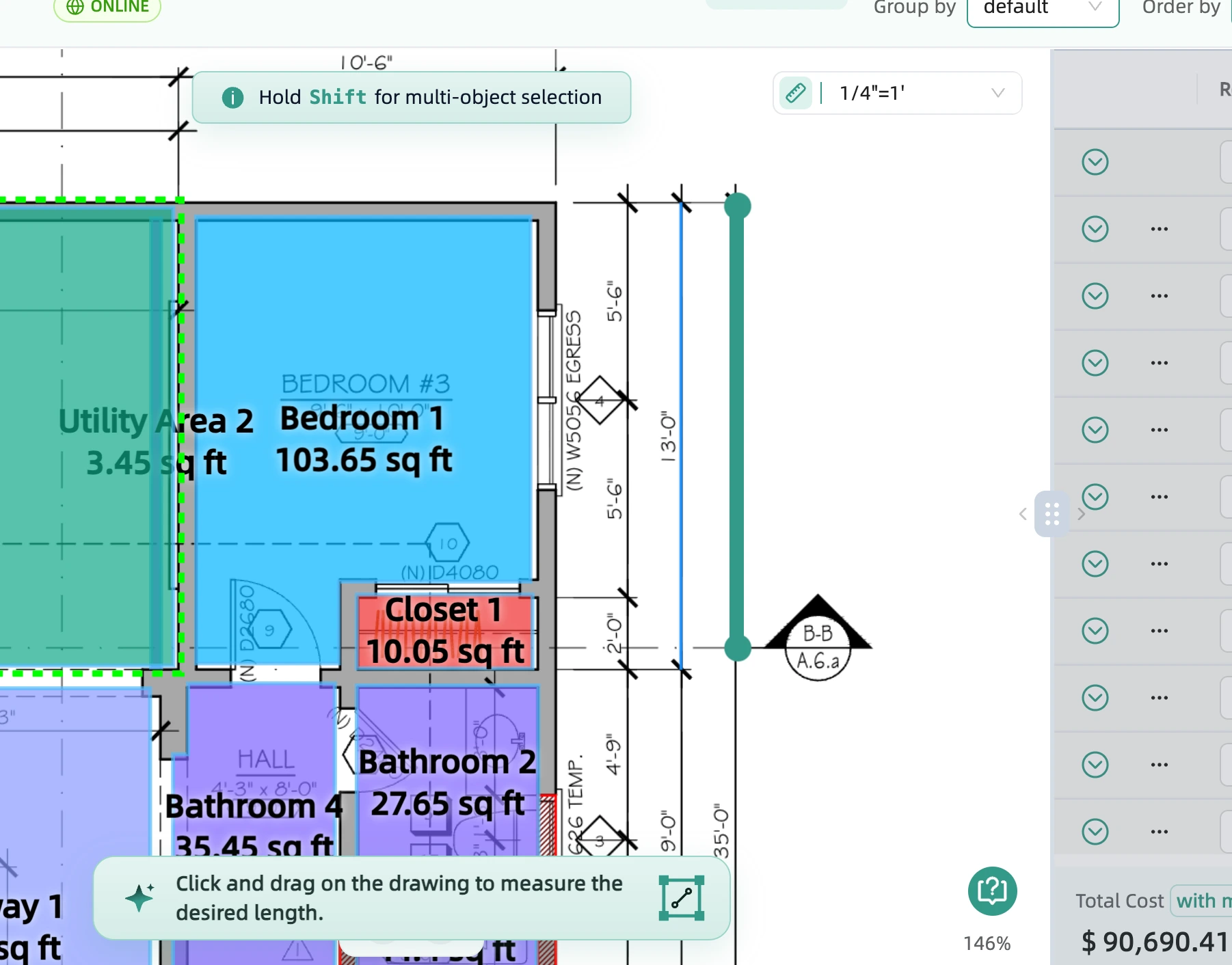
After you have clicked twice to draw the line, a window will now open up that allows you to set what you know that length to be in inches and feet (i.e. 12 feet 6 inches.) Once you confirm, your custom scale is set.