Construction Estimating Software: Turn Takeoffs Into Proposals (Quotr.ai 2026 Update)
Preconstruction is still handled in disconnected steps.
Teams complete takeoffs in one tool, build estimates in another, and create proposals separately. The same data is copied, reformatted, and rebuilt for every project.
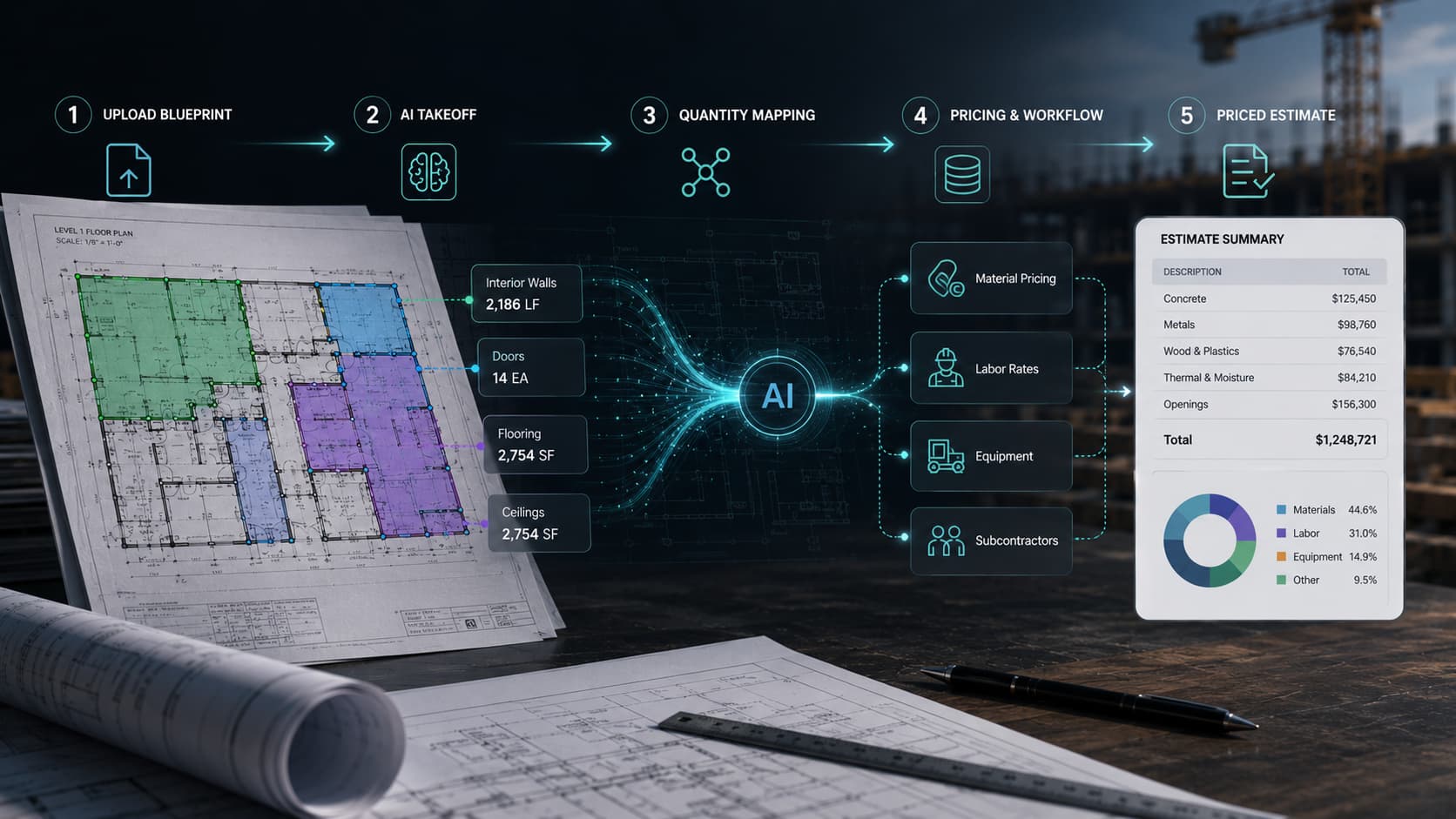
Quotr.ai brings this into a single, connected workflow.
Upload once. Reuse every time—from takeoff to finished proposal.
What’s New in Quotr.ai’s Construction Estimating Software
This release focuses on two core areas of AI construction estimating software:
- Proposal automation for construction bids
- An AI powered data upload (upload the data into the database from just old bids and files)
Both are designed to reduce manual work and speed up the path from plans to a completed proposal.
Proposal Automation Software for Construction Bids
Creating proposals is one of the most repetitive parts of the estimating process.
Teams often:
- reuse outdated files
- reformat estimates manually
- copy and paste data into templates
This slows down bid turnaround and introduces inconsistencies across projects.
Quotr.ai removes that rework with AI-powered proposal automation.
How Quotr.ai Automates Proposal Generation
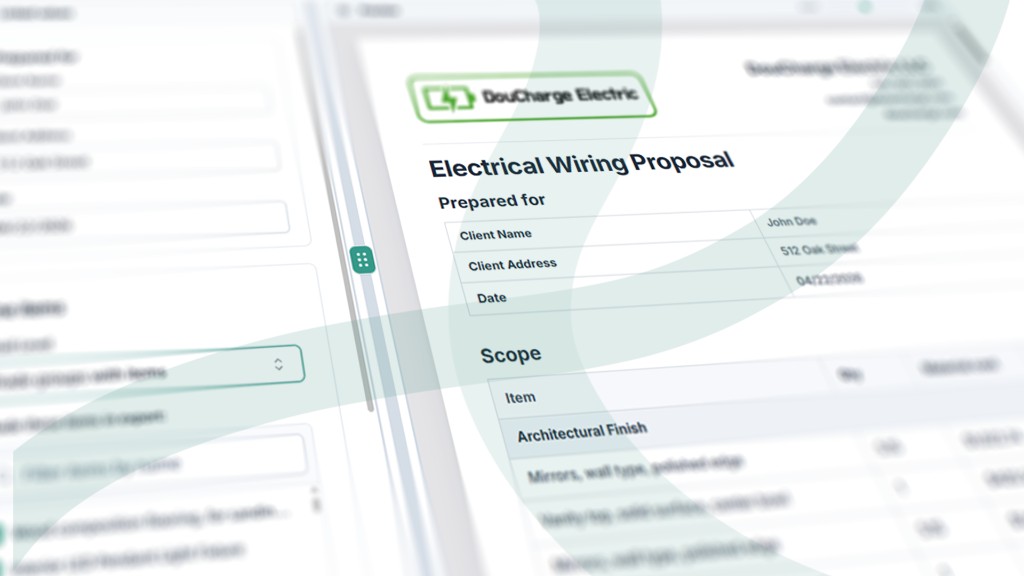
Quotr.ai turns any past bid into a reusable construction bid proposal template.
Upload a previous proposal or bid PDF
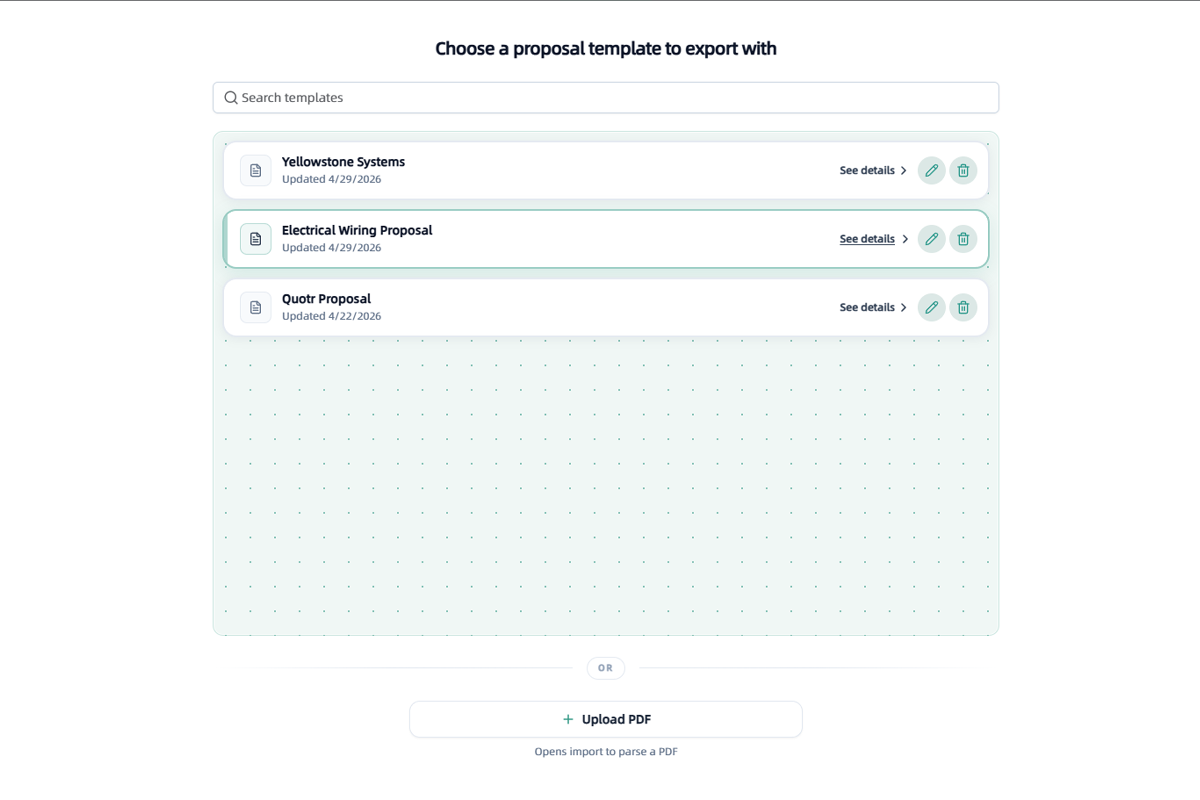
Quotr.ai analyzes and learns the structure automatically
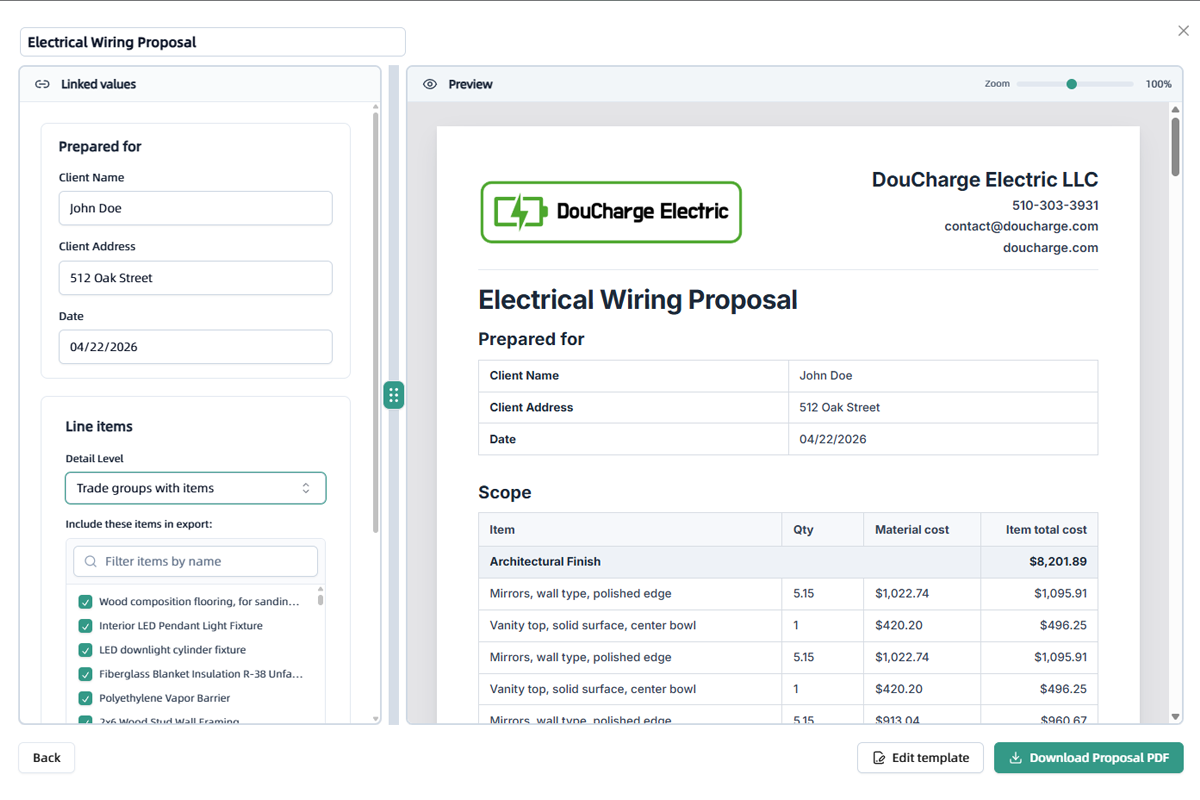
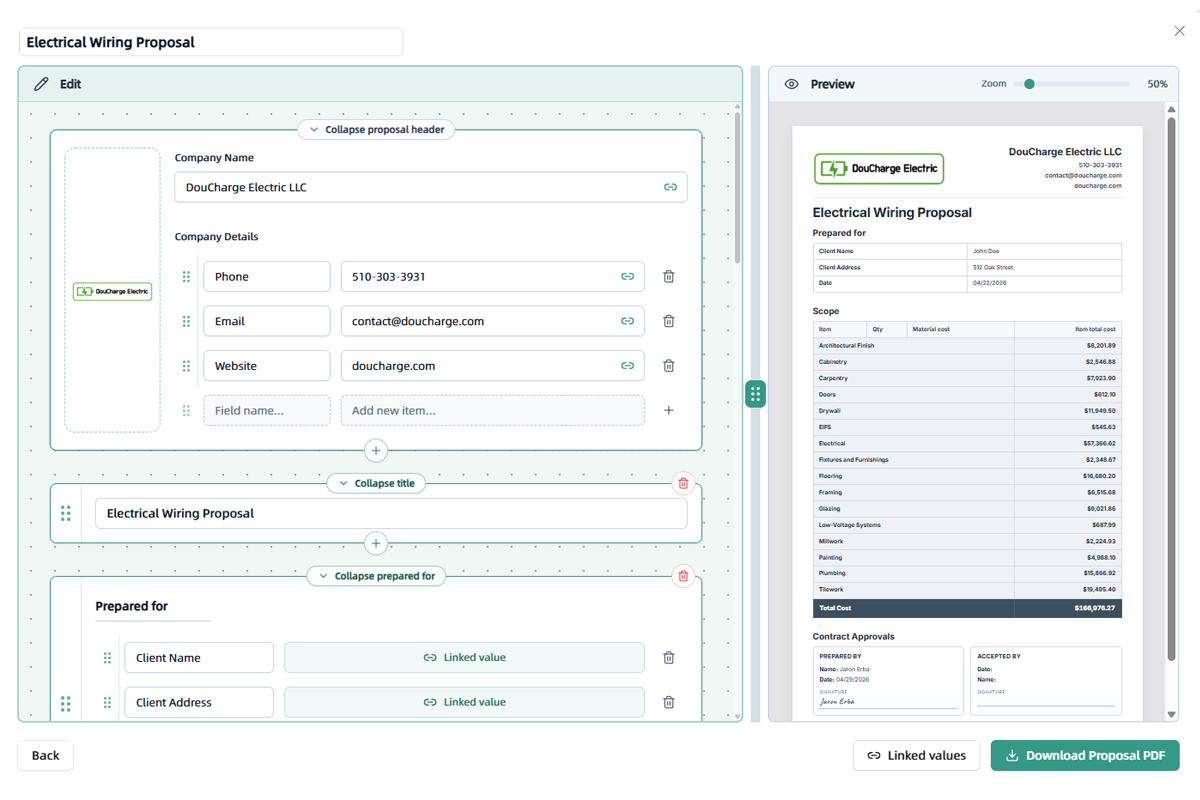
A reusable proposal template is created instantly
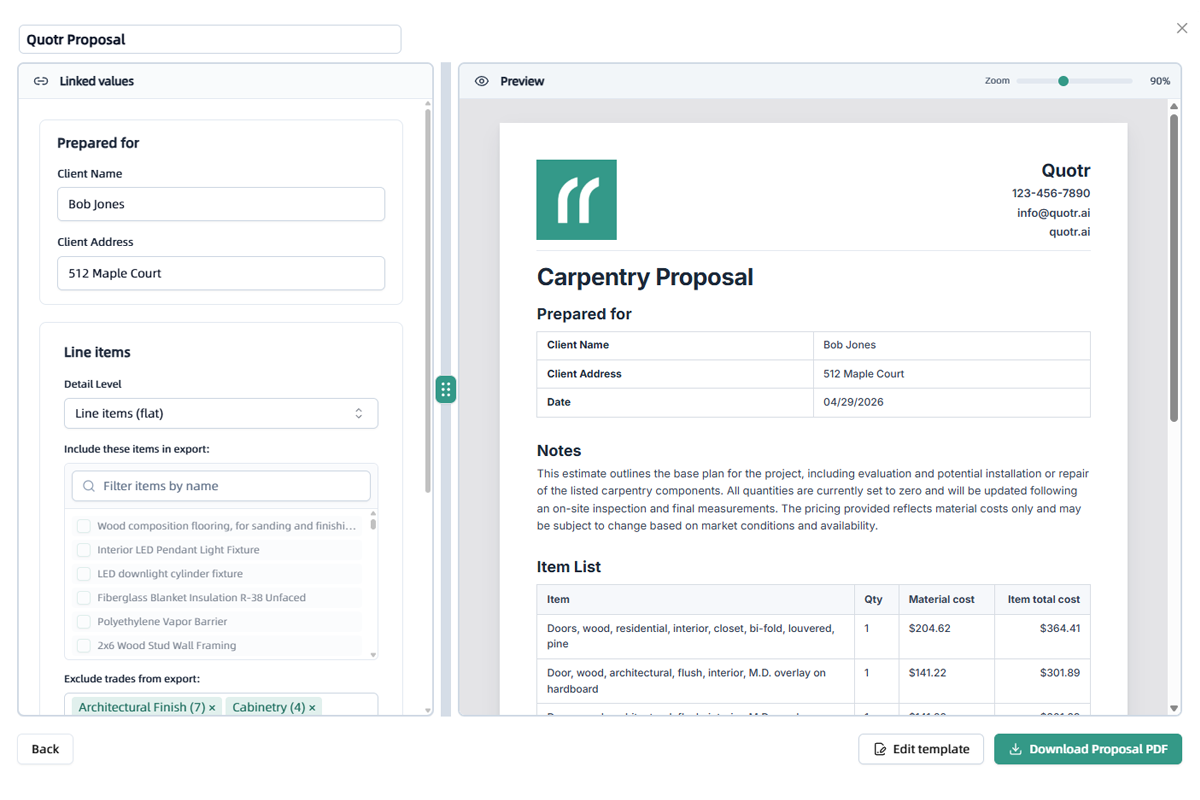
The proposal is ready and can be directly exported as a PDF
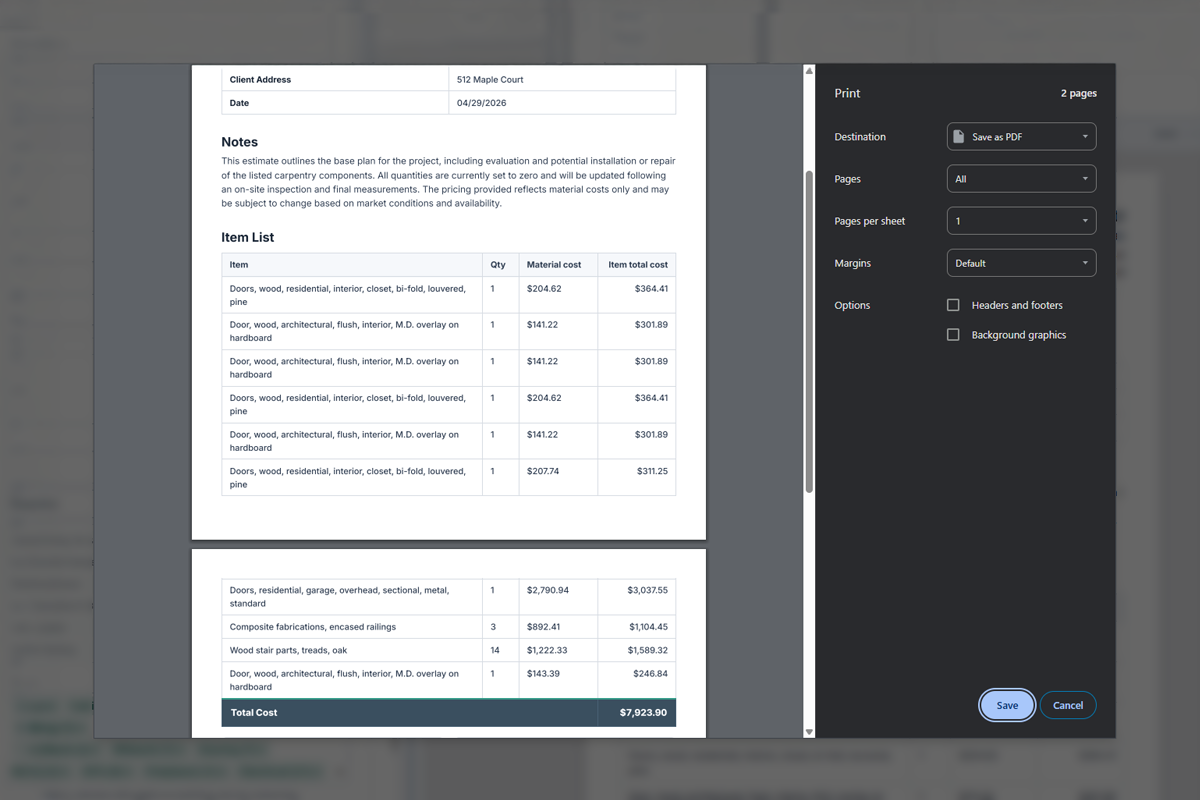
Once a template is saved:
- Every takeoff feeds directly into that template
- Proposals are generated automatically as you work
- No reformatting or rebuilding is required
When your takeoff is complete, your proposal is already finished.
You can export a polished, ready-to-send proposal for each project, with autosave keeping everything up to date.
Managing Multiple Proposal Templates
Many contractors need different proposal formats for different trades, divisions, or client types.
Quotr.ai lets you maintain a library of proposal templates, such as:
- Electrical wiring proposals
- Carpentry or framing proposals
- General contracting or full-scope proposals
For each project, you simply choose the right template and export.
AI Upload Database for Construction Estimates
Most teams already have cost data—but it usually lives in messy spreadsheets and PDFs that are hard to use on a new job.
Quotr.ai turns those uploaded database files into a live construction cost database using AI.
How the AI Powered Data Upload Works
-
Upload your Excel or PDF cost files
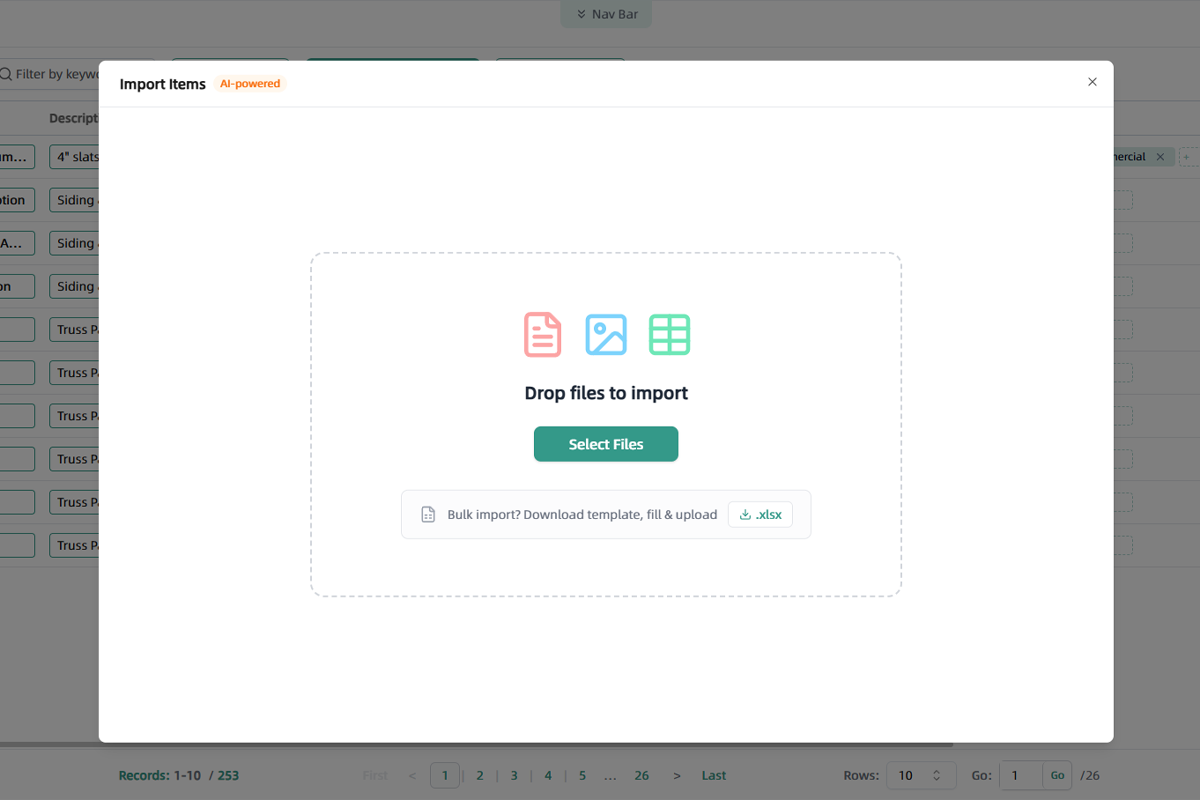
-
Quotr.ai’s AI scans the file, searches for items, and matches them to costs
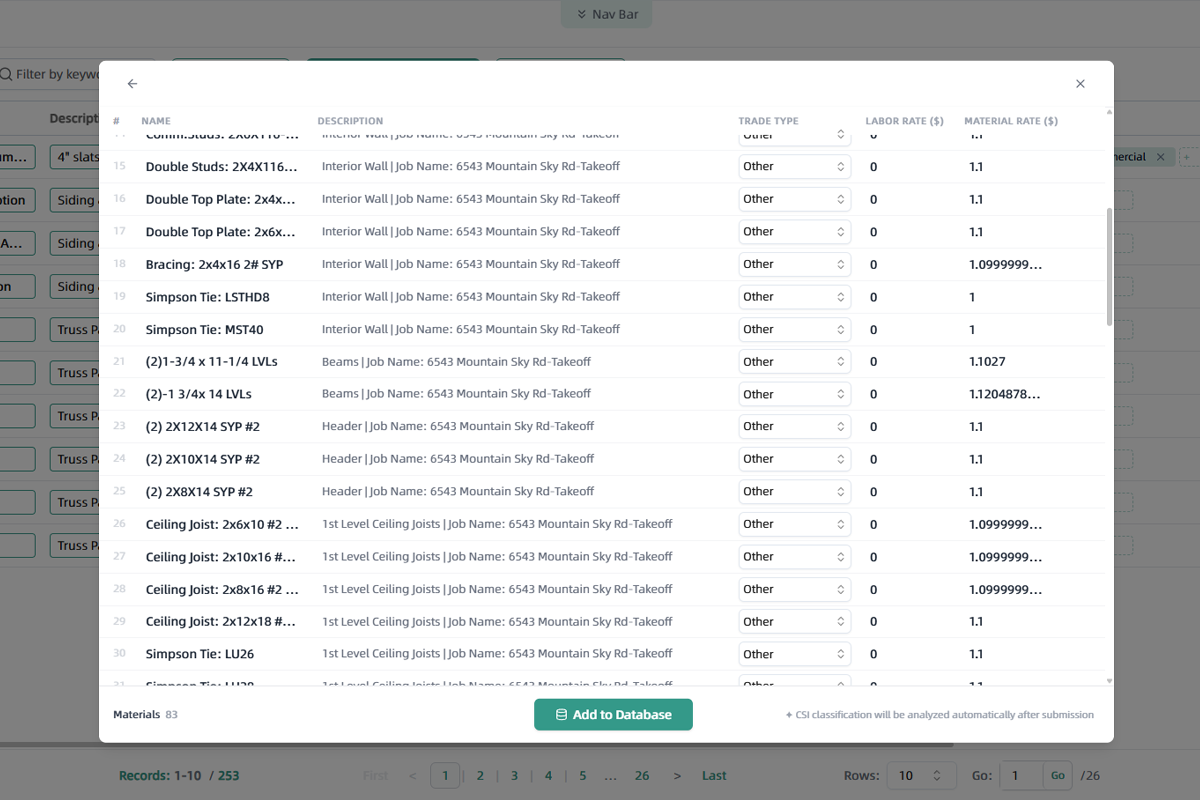
- The items are added to your database automatically—no manual formatting
You don’t need to:
- build item lists line by line
- reformat columns and headers
- enter the same materials and assemblies into the software over and over
Once your data is in the database, you can search for items, reuse them across projects, and connect them directly to your takeoffs, estimates, and proposals.
From Takeoff to Proposal: A Connected Preconstruction Workflow
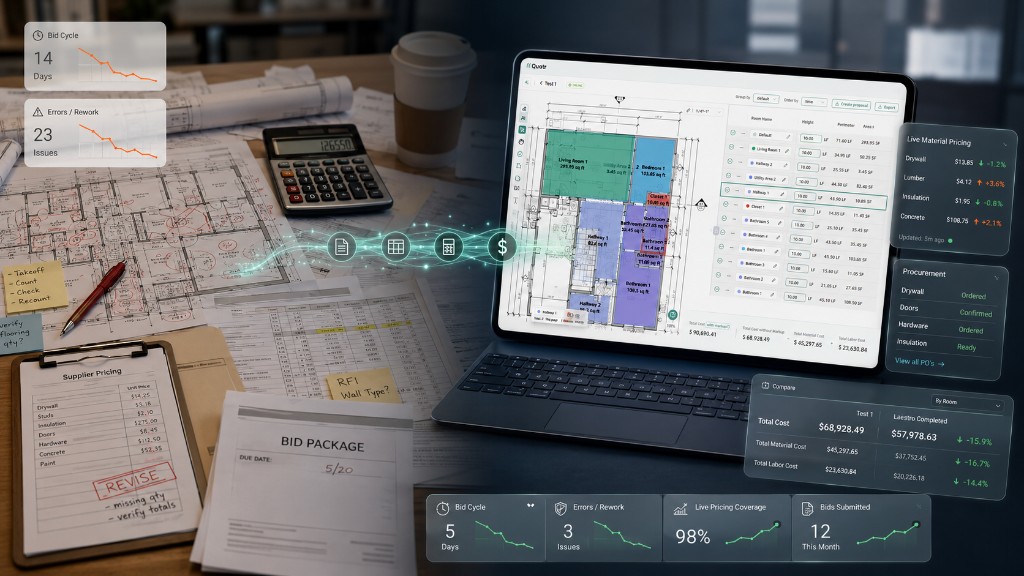
Traditional construction estimating workflows look like this:
- Takeoff → export
- Estimate → adjust
- Proposal → rebuild
Each handoff introduces risk, delay, and extra work.
With Quotr.ai, the process becomes:
- Takeoff → estimate → proposal
All within one platform.
This connected system removes duplicate steps and keeps your quantities, pricing, and client-facing proposals in sync across every stage of preconstruction.
For a deeper dive into the broader process, see our full construction estimating workflow guide.
Why Proposal Automation and the AI Powered Uploading of Data Matter
Across contractors and subcontractors, the same challenges appear:
- Proposals take too long to complete
- Cost data is difficult to maintain and reuse
- Multiple tools create inefficiencies and errors
These issues directly impact:
- Bid turnaround time
- Project volume capacity
- Consistency across estimates and proposals
By combining construction proposal automation with an AI-driven cost database, Quotr.ai reduces friction in the estimating process and helps teams move faster with more consistent results.
Who This Construction Estimating Software Is For
This update is designed for:
- General contractors managing multiple bids at once
- Subcontractors preparing detailed proposals for GCs
- Teams handling high project volume with tight deadlines
If your current workflow depends on spreadsheets, copy-paste, and manual formatting, the difference is immediate.
Learn more about Quotr.ai Software and Quotr.ai Service.
To see how this works in practice, you can:
- Explore the Quotr.ai platform
- Review pricing and plans
- Read more on the construction insights blog
FREQUENTLY ASKED QUESTIONS (FAQ)
What is Quotr.ai and how does it help with construction proposals?
Quotr.ai is AI-powered construction estimating software that connects takeoff, estimating, and proposal generation in one workflow so contractors can create proposals automatically instead of rebuilding them from scratch for every bid.
How does Quotr.ai’s AI proposal automation work?
You upload a previous bid or proposal PDF, Quotr.ai learns the structure and saves it as a reusable template, and each new project can export a ready-to-send proposal using that format with no extra formatting work.
Can existing proposal templates be reused in Quotr.ai?
Yes. An old proposal can be uploaded, converted into a template, and reused across projects so proposals stay consistent across clients and jobs.
How does the AI cost database feature work with Excel or PDF files?
You upload Excel or PDF cost documents, Quotr.ai’s AI searches for items and matches them to costs, and those items are added directly into the cost database without manual formatting or re-entry.
Do spreadsheets need to be cleaned before importing?
No. Quotr.ai is designed to work with real-world contractor spreadsheets and PDFs, so the AI organizes and maps items instead of requiring a perfectly formatted import file.
What parts of the preconstruction workflow does Quotr.ai cover?
Quotr.ai connects the full preconstruction workflow—from takeoff to estimate to proposal—so teams can manage quantities, pricing, and client-facing documents within the same system.
Who is Quotr.ai best suited for?
Quotr.ai is built for general contractors, subcontractors, and teams managing multiple bids who want to reduce manual data entry, speed up bid turnaround, and keep proposals consistent.
Can proposals created in Quotr.ai be downloaded and shared?
Yes. Once the takeoff and estimate are complete, a proposal PDF can be downloaded per project, with autosave helping keep proposal data current and ready to send.
Does Quotr.ai support multiple proposal templates?
Yes. Teams can maintain a library of proposal templates—such as electrical, carpentry, or general contracting—and choose the right template for each project before exporting.
How do teams get started with Quotr.ai?
Teams can explore the platform, review pricing, and start a free trial, then upload an existing bid to see how proposal automation and the AI cost database work with their own data.
Published on the Quotr.ai blog. Quotr.ai is an AI-powered construction estimation, takeoff, and procurement platform based in San Francisco.