Bluebeam Alternatives for Takeoff in 2026
Short answer: The best Bluebeam alternative depends on which Bluebeam job you’re replacing. For PDF markup on Mac or iPad, Drawboard PDF or Adobe Acrobat. For manual takeoff, PlanSwift, STACK or Easy Takeoffs. For AI takeoff that carries quantities into a priced estimate, Quotr.ai. Many estimating teams keep one Revu seat for markup and move takeoff elsewhere.
Why are contractors looking for a Bluebeam alternative in 2026?
Most contractors start looking for three reasons: Revu 20 lost support on July 31, 2026 and reaches end of life on December 31, 2026; Revu has had no native Mac app since June 28, 2023; and every tier is now an annual subscription from $260 to $590 per user.
- Revu 20 end of support (July 31, 2026): technical support and self-service license management ended. Perpetual licenses still run but can’t be moved to a new machine.
- Revu 20 end of life (December 31, 2026): Revu 20 loses Studio Sessions, Studio Projects and API integrations. Keeping Studio access requires Revu 21 on an active Basics, Core, Complete or Max subscription.
- Mac: Revu for Mac reached end of life on June 28, 2023. Bluebeam points Mac users to its web and mobile apps or to running Windows Revu through Parallels or Boot Camp.
- iPad: Revu for iPad was pulled from the App Store on December 31, 2025, pending a new Bluebeam mobile app.
- Takeoff is still manual. Count and perimeter tools start at the Core tier. An estimator still places every measurement.
What should a Bluebeam alternative replace?
A Bluebeam alternative should replace the specific job Revu does for you, not the whole app by default. Revu does three jobs: PDF markup and Studio collaboration, measured quantity takeoff, and quantity export to Excel. Very few tools do all three, so name your main job before you compare features or prices.
| If Revu is mainly your… | Look at | What to check |
|---|---|---|
| Markup, punch and RFI review tool | Drawboard PDF, Adobe Acrobat, Bluebeam Cloud | Mac/iPad support, Studio-style shared sessions with your GC |
| Manual takeoff tool | PlanSwift, STACK, Easy Takeoffs | Assemblies, Mac support, annual vs monthly billing |
| Takeoff plus estimate | Quotr.ai, STACK, Togal.AI (takeoff only) | Automatic counts, confidence scoring, whether quantities price inside the tool |
Should you cancel Bluebeam to fix a takeoff problem?
Usually not. Canceling Bluebeam outright is the wrong move for most subcontractors, because your GC and design team likely still send markups through Studio. The cheaper fix is to drop to one $260 Basics seat for markup and collaboration, and move takeoff and estimating to a tool built to produce quantities and prices.
Here’s what that split costs for a five-estimator shop, using published or third-party-reported 2026 list prices:
| Setup (5 estimators, per year) | Approximate annual cost | Source |
|---|---|---|
| Bluebeam Core x5 | $1,650 | Bluebeam pricing page |
| Bluebeam Complete x5 | $2,200 | Bluebeam pricing page |
| Bluebeam Max x5 (introductory price) | $2,950 | Bluebeam pricing page |
| Easy Takeoffs Pro Annual x5 | $1,995 | Capterra listing |
| PlanSwift Professional x5 | $10,000 | Capterra listing |
| STACK Takeoff & Estimate x5 | ~$12,995–$14,995 (annual) | Capterra / Dupple |
| Togal.AI Growth x5 | $17,940 | Togal.AI pricing page |
| Quotr Software (5 x Lite $79/mo) + 1 Bluebeam Basics seat | ~$5,000 | Quotr pricing; Bluebeam pricing page |
Prices change often. Confirm with each vendor before you buy.
Which Bluebeam alternatives are worth comparing?
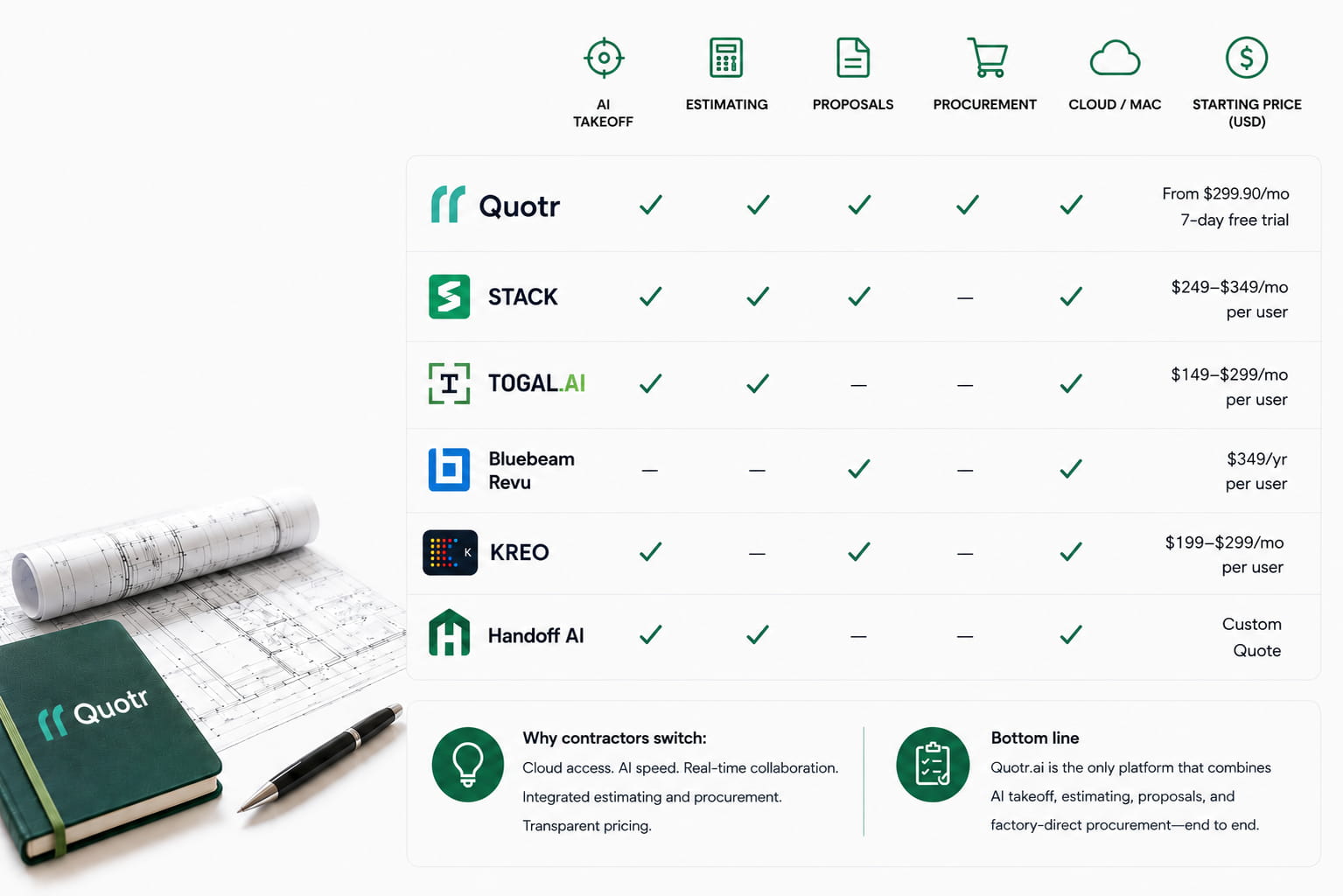
Six tools cover nearly every reason contractors leave Bluebeam: Quotr.ai for AI takeoff and estimating, STACK for cloud takeoff with estimating, Togal.AI for AI area takeoff, PlanSwift for desktop takeoff, Easy Takeoffs for low-cost browser takeoff, and Drawboard PDF or Adobe Acrobat for markup only.
| Tool | Replaces | Mac / browser | Automatic takeoff | Priced estimate | 2026 list price |
|---|---|---|---|---|---|
| Quotr.ai | Takeoff + estimating | Yes (cloud) | Yes, with per-item confidence scores | Yes, through bids | From $79/seat/mo (Lite); Plus $299; 7-day trial |
| STACK | Takeoff + estimating | Yes (cloud) | No (manual, assembly-assisted) | Yes | Free tier; ~$2,599–$2,999/user/yr |
| Togal.AI | Takeoff | Yes (cloud) | Yes | Not listed in plans | $299/user/mo, billed yearly |
| PlanSwift | Takeoff | Windows desktop only | No | Via assemblies | From $2,000/yr (Capterra) |
| Easy Takeoffs | Takeoff | Yes (browser, incl. iPad) | No | Light | $39/user/mo or $399/yr |
| Drawboard PDF / Adobe Acrobat | Markup | Yes | No | No | Drawboard from ~$84/seat/yr |
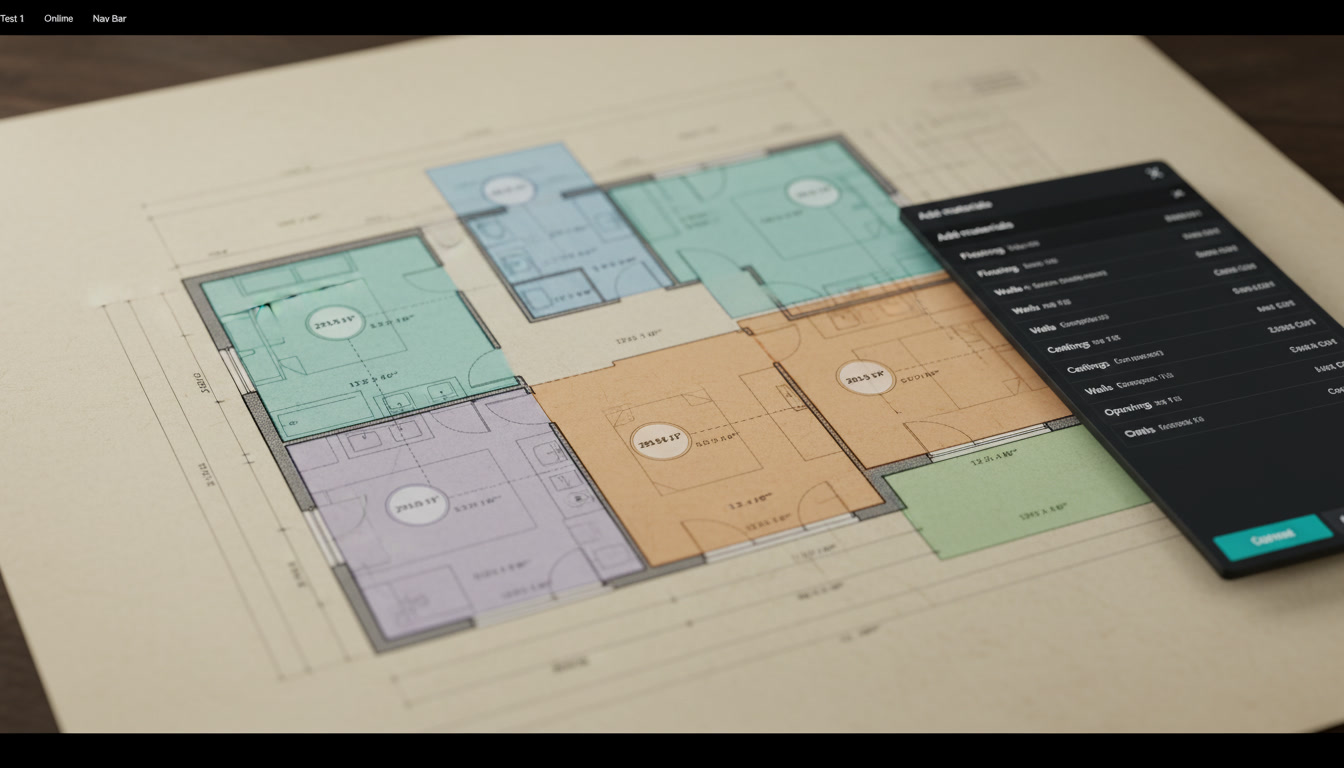
Quotr.ai — best for moving from manual takeoff to AI takeoff and estimating. Quotr Software reads the plan set, counts and measures automatically, and scores each item’s confidence so estimators review only the uncertain ones. Every quantity links back to the exact symbol on the exact sheet. Good to know: Quotr is cloud-native, so it runs on Mac in a browser, and like every AI takeoff tool, edge cases get a quick human check.
STACK — best for cloud takeoff with built-in estimating. STACK runs in the browser, offers a free tier, and its Takeoff & Estimate plan adds labor, materials and proposals. Watch-out: takeoff is still drawn by hand, it bills annually (~$2,599–$2,999/user/yr), and some users report renewal increases.
Togal.AI — best for AI room and area detection. Togal’s Growth plan is $299 per user per month billed yearly, with unlimited automated takeoffs and chat prompts. Watch-out: its plan pages don’t list cost databases or pricing tools, so most teams export quantities to price them elsewhere.
PlanSwift — best for teams that want a familiar desktop takeoff tool. Long-standing point-and-click takeoff with assemblies. Watch-out: Capterra now lists it as an annual license from $2,000, it’s Windows desktop only (no Mac, cloud or mobile), and there’s no automatic detection.
Easy Takeoffs — best budget option across devices. Browser-based takeoff on Windows, Mac, iPad and Chromebook for $39 per user per month. Watch-out: light on estimating and no automatic counting.
Drawboard PDF or Adobe Acrobat — best if you only need markup. Both run natively on Mac and iPad. Watch-out: neither does calibrated quantity takeoff, so they replace Revu’s markup job only.
Does Bluebeam have AI takeoff now?
Bluebeam has AI, but not automatic quantity takeoff. Bluebeam Max launched globally on May 19, 2026 at a $590 introductory price, adding AI drawing review, AI drawing comparison, multi-sheet stitching, an MCP integration for AI assistants and Magic Markups. Its feature list includes no automatic symbol counting; quantities still come from measurements an estimator places.
That distinction matters when you compare tools. Magic Markups speeds up repetitive markup work by duplicating, converting and offsetting markups, and Smart Review flags discrepancies and scope gaps. Those are review tools. An AI takeoff tool reads the sheet, finds every instance of a symbol or area, and returns a count you verify. If your bottleneck is counting fixtures, devices or rooms, Max’s $150-per-user-per-year step up over Complete buys review features, not counts.
How does AI takeoff replace Revu’s measure tools?
AI takeoff replaces Revu’s manual count and area tools by detecting symbols and areas across the full plan set automatically, then flagging the items it’s least sure about for a human check. In Quotr Software, accuracy is 95–99% on counts and areas from clean vector PDFs (Quotr internal benchmarking), and lower on low-resolution scans.
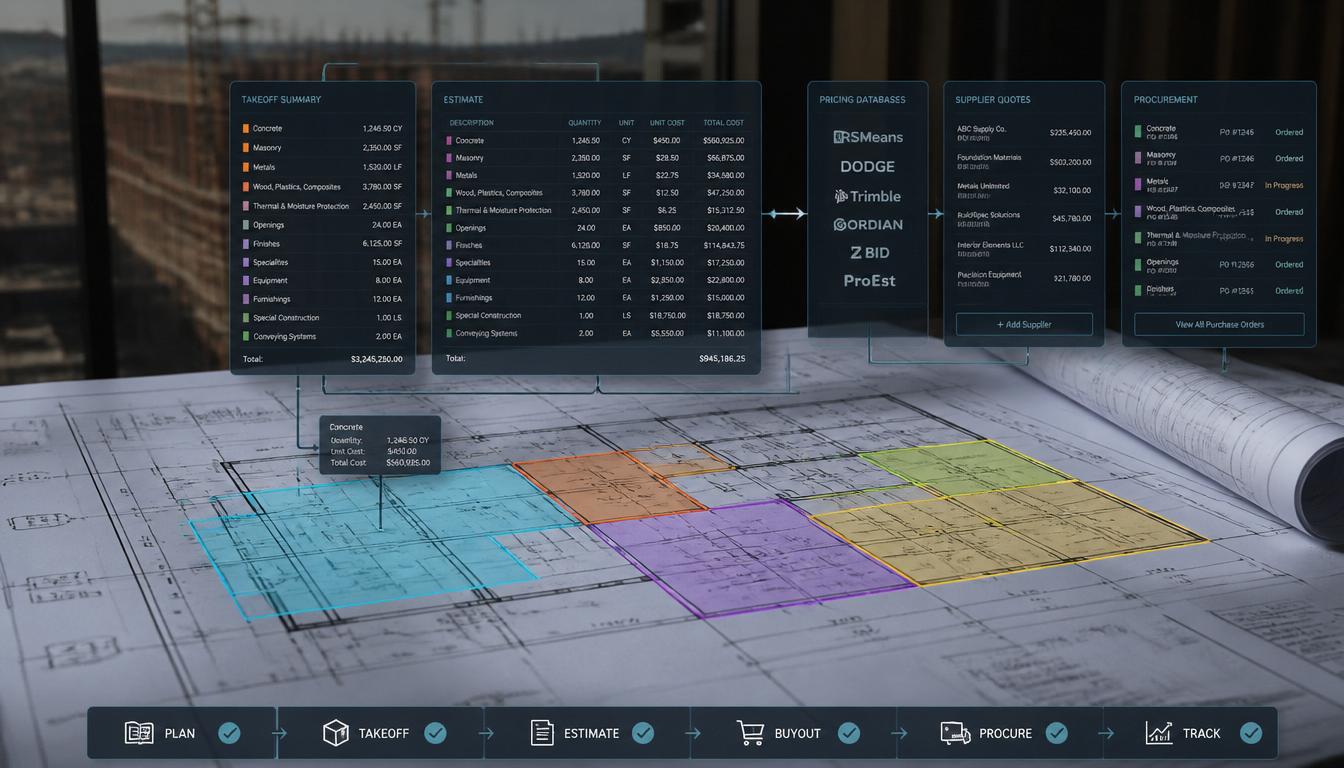
- Upload once, classify the set. The Quotr AI agent, a feature inside Quotr Software, reads and sorts the plan set by trade and answers questions about the drawings, cited to the sheet.
- Counts and areas come back with confidence scores. Smart Matching scores each item, so review time goes to the uncertain ones.
- Every number is traceable. Each quantity links to the exact symbol on the exact sheet, the audit trail Revu users usually build by hand with markup layers.
- Quantities price inside the same tool. Templates price a scope the same way every time, then roll into a bid.
- Materials can go straight to buyout. For windows, doors, cabinetry, flooring, fixtures and FF&E, Quotr Procurement sources factory-direct from 50+ verified factories in Foshan and Guangdong, China, at 40–55% below distributor markup. Quotr is proven today across electrical, concrete, flooring and drywall, its four flagship trades. For a deeper look at where AI counts hold up and where they don’t, see is AI takeoff accurate yet.
Manual Revu vs generic AI vs Quotr: how do they compare?
The practical difference is where the estimator’s time goes. With manual Revu, it goes to clicking every count. With a generic AI takeoff tool, it goes to verifying counts and re-keying them into a spreadsheet. With Quotr, it goes to reviewing low-confidence items and adjusting a priced estimate already built from those quantities.
| Manual (Bluebeam Revu) | Generic AI takeoff | Quotr Software | |
|---|---|---|---|
| How counts happen | Estimator places each one | Automatic | Automatic, per-item confidence |
| Traceability | Markup layers you maintain | Varies | Every quantity linked to sheet and symbol |
| Pricing | Export to Excel | Usually export | Built in, through bids |
| Mac | Browser or Parallels only | Usually cloud | Cloud, any browser |
| Material buyout | No | No | Factory-direct through Quotr Procurement |
How do you switch off Bluebeam before the Revu 20 deadline?
Switch in four steps before December 31, 2026: audit who uses Revu for markup versus takeoff, export the tool chests and Studio files you want to keep, run one live bid in parallel on the new tool, then renew only the Bluebeam tier you still need for GC collaboration.
- Audit seats now. List who uses Revu for markup only versus takeoff. Markup-only users may need just Basics or a markup app.
- Export what you’ll need. Pull your tool chest, custom columns and Studio Project files while support is still clear.
- Parallel-bid one job. Take off the same sheets in both tools and compare counts line by line.
- Decide on renewal. Renew only the Bluebeam tier your remaining users need. Want to run that parallel bid on your own drawings? Book a Quotr demo or start the 7-day free trial of Quotr Software.
FAQ
Is there a free alternative to Bluebeam? There’s no free tool that fully replaces Bluebeam’s markup and takeoff together. STACK offers a free takeoff tier, Bluebeam’s web app has a 14-day trial, and general PDF readers handle basic markup. For paid takeoff on a budget, Easy Takeoffs costs $39 per user per month and runs in any browser.
What is the best Bluebeam alternative for Mac? The best Bluebeam alternative for Mac is any cloud tool, because Revu for Mac reached end of life on June 28, 2023. Drawboard PDF covers markup natively on Mac. For takeoff and estimating, Quotr.ai, STACK and Easy Takeoffs all run in a Mac browser with no Parallels or Boot Camp setup.
Is Adobe or Bluebeam better for construction? Bluebeam is better for construction takeoff because it adds count tools, quantity columns and Excel export, while Adobe Acrobat Pro offers only basic scaled measuring. Acrobat is fine for general markup and signatures. If takeoff is the main job, compare Bluebeam against dedicated takeoff tools instead of Adobe.
What happens when Bluebeam Revu 20 reaches end of life? On December 31, 2026, Revu 20 loses Studio Sessions, Studio Projects and API integrations, and Bluebeam stops supporting it. Perpetual licenses still open files locally but can’t connect to Bluebeam cloud services. Keeping Studio access requires Revu 21 on an active Basics, Core, Complete or Max subscription.
What is replacing Bluebeam Revu for iPad? Bluebeam removed Revu for iPad from the App Store on December 31, 2025 and says a new Bluebeam mobile app will replace it, without a named release date. Installed copies keep working until you change devices or update iOS. Browser-based tools like Easy Takeoffs and Drawboard PDF work on iPad now.
Does Bluebeam do estimating? Bluebeam doesn’t build priced estimates. Revu measures quantities and the Complete tier exports them to Excel through Quantity Link, but labor rates, material pricing and proposals happen outside Bluebeam. Contractors who want takeoff and pricing in one place use an estimating platform such as Quotr.ai or STACK.
About the author
By Xian Li, Cost Estimator at Quotr.ai. Xian estimates real construction projects on the platform day to day, which is the lens this comparison is written through: not which tool has the longest feature list, but which one an estimator can actually bid faster with.
About Quotr.ai
Quotr.ai is an AI-powered construction estimation, takeoff, and procurement platform built for subcontractors, general contractors, and developers. Backed by Llama Ventures and based in San Francisco. Learn more at quotr.ai.
References
- Bluebeam — Pricing (Basics $260, Core $330, Complete $440, Max $590 introductory): https://www.bluebeam.com/pricing/
- Bluebeam Support — Revu 20 End of Life, December 31, 2026: https://support.bluebeam.com/articles/revu-20-end-of-sale-announcement/
- Bluebeam Support — Revu for Mac End of Life, June 28, 2023: https://support.bluebeam.com/articles/revu-for-mac-end-of-life-eol-announcement/
- Bluebeam Support — Revu for iPad End of Sale, December 31, 2025: https://support.bluebeam.com/legacy/resources/revu-for-ipad-eos-announcement.html
- Informed Infrastructure — Bluebeam Max launches globally (May 19, 2026): https://informedinfrastructure.com/post/bluebeam-max-launches-globally
- Togal.AI — Pricing and licenses: https://togal.ai/pricing
- Capterra — PlanSwift pricing: https://www.capterra.com/p/70808/PlanSwift/pricing/
- Capterra — Easy Takeoffs: https://www.capterra.com/p/10036778/Easy-Takeoffs/
- Capterra / Dupple — STACK pricing (annual): https://www.capterra.com/p/147181/STACK-Takeoff/
- Drawboard — Drawboard PDF vs Bluebeam: https://www.drawboard.com/compare/drawboardpdf-v-bluebeam