Best Drywall Estimating Software in 2026
Drywall estimating looks simple until it isn’t. Net area is just the starting point — waste by board size, assembly type differentiation, separate labor phases for framing, hanging, taping, and finishing, and lift costs on multi-story work all compound fast on commercial jobs. A flat square footage rate that holds on a simple single-story TI will consistently mis-price a complex commercial build with fire-rated assemblies, shaft walls, and varying ceiling heights across zones.
So drywall estimating software has to do more than measure wall area — it has to think in assemblies, board types, and labor phases. This guide compares the best drywall estimating software in 2026 — six tools worth your shortlist — with honest notes on who each fits, what it costs, and where it falls short.
For the broader framework, pair this with our AI construction estimating software buyer’s guide. This article is the shortlist; that one is the scorecard.
What Drywall Estimating Software Does
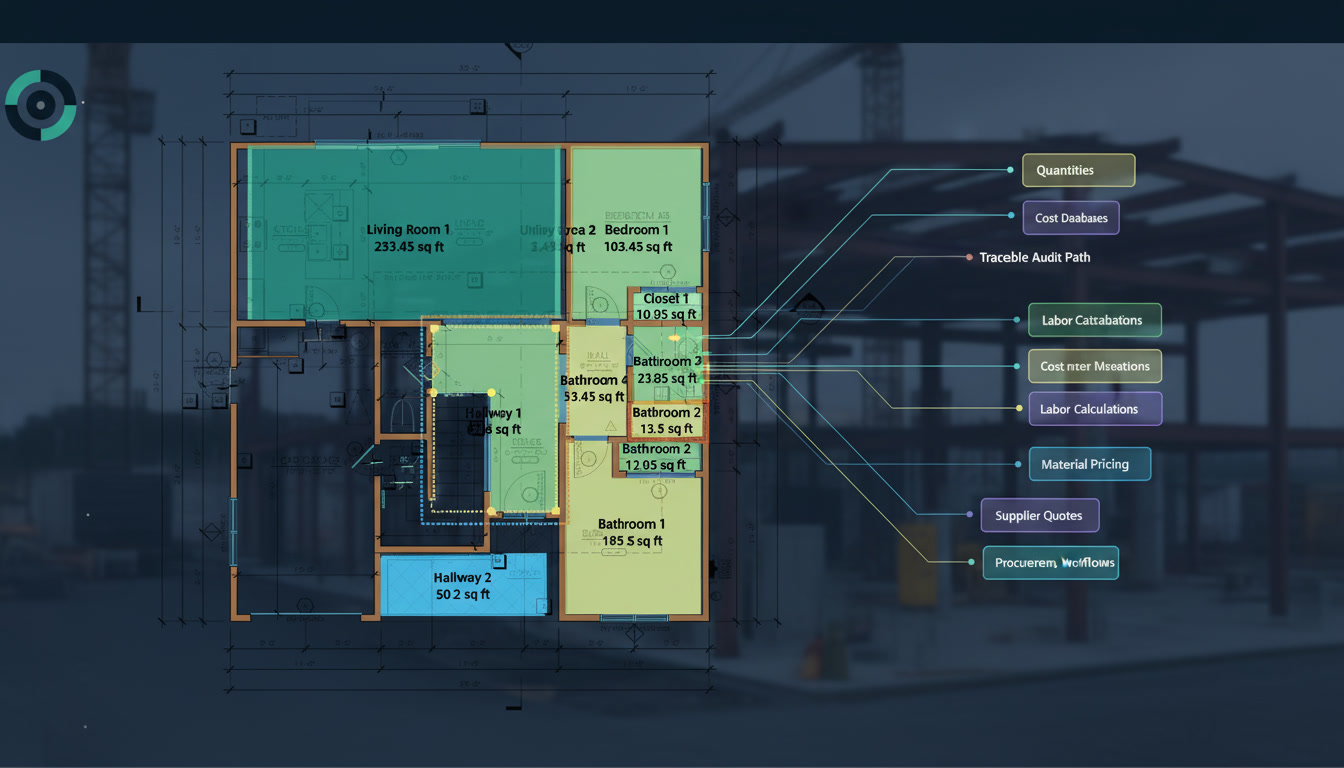
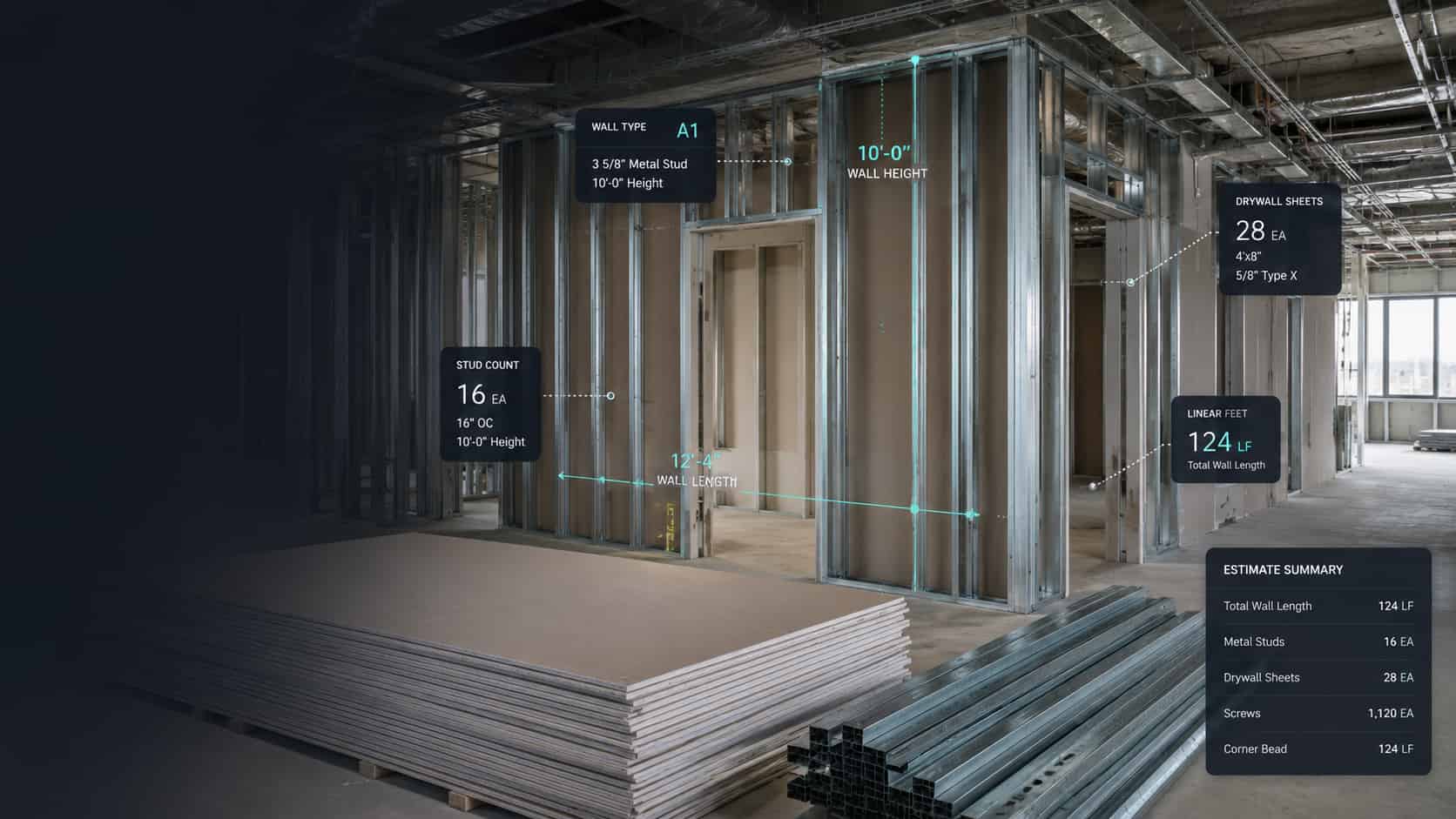
Drywall estimating software automates the most labor-intensive parts of pricing a job: quantity takeoff (wall areas, ceiling areas, and board counts by assembly type), material pricing (board, framing, fasteners, joint compound, tape, and finish materials), and labor calculation (separate rates for framing, hanging, taping, and finishing by ceiling height and site conditions). The best platforms connect all three so a quantity change flows straight through to material and labor cost.
For drywall specifically, two things separate real tools from generic ones: assembly-type differentiation (fire-rated, shaft wall, moisture-resistant, and standard partitions are different material and labor inputs — not one aggregate area number), and labor rate flexibility by phase and height (finishing at 20 feet with a lift is a different cost than finishing at 9 feet on a ground-floor TI).
How We Picked These Tools
We weighted drywall-specific takeoff (assembly differentiation, board type, waste optimization), labor rate flexibility by phase and height, material pricing freshness, deployment model, and transparent pricing. We build Quotr.ai, an AI estimating platform used by drywall contractors, so we’re upfront about that — and we’ve kept the comparisons fair.
The 6 Best Drywall Estimating Software Tools in 2026
1. Quotr.ai — Best for AI-assisted drywall takeoff and bidding
Quotr.ai is a cloud-native platform that runs the full subcontractor workflow — takeoff, estimates, a pricing database, bids, and proposals — in one product. Drywall is one of Quotr’s core trades: upload a PDF plan set and the AI reads wall segments, ceiling zones, and partition layouts, automatically extracting areas by assembly type with a per-item confidence score and a full audit trail back to the drawing. On clean vector PDFs, Quotr’s AI takeoff runs at 95–99% accuracy on areas and counts in internal benchmarking.
From there, quantities flow into a structured estimate with your own labor rates by phase, waste factors by board size, and assembly-level cost breakdowns — then into a client-ready proposal, all in one workflow. Supplier quote requests and side-by-side bid comparisons are also built in, so board and framing pricing reflects current market numbers.
Best for: Drywall and interior finish subs who want AI takeoff speed plus estimating and bidding in one place.
Pricing: Published — Solo from $299.90/month, Team (2–6 seats) $499.90/month, custom Enterprise pricing for 7+ users; 7-day free trial.
Good to know: Quotr is cloud-native — fast setup, continuous updates, no legacy desktop overhead. Complex assembly conditions and irregular ceiling geometries get a quick estimator review, which Quotr flags automatically with confidence scores.
2. PlanSwift — Best for desktop, assembly-based drywall takeoff
PlanSwift (Trimble) is a long-running desktop takeoff tool that drywall estimators use for wall area, ceiling area, and linear framing calculations through customizable assemblies and point-and-click measurement on plan sets.
Best for: Drywall contractors who want a desktop, assembly-driven takeoff tool with deep customization.
Pricing: Reported around $1,749/year per license; confirm with Trimble.
Watch-out: Desktop-bound, manual takeoff; no integrated bidding, procurement, or AI detection.
3. STACK — Best cloud takeoff for commercial drywall
STACK is a widely used cloud takeoff-and-estimate platform across drywall, concrete, and other trades, with a strong assembly library, good plan management, and a clean multi-user workflow for commercial bidding.
Best for: Commercial drywall subs bidding from plan sets who want cloud-based takeoff and estimating.
Pricing: Reported ~$2,599–$2,999/year per user; confirm with STACK.
Watch-out: Takeoff and estimating only — no integrated bidding, sub outreach, or procurement; annual contract.
4. Procore Estimating (formerly Esticom) — Best for teams already in the Procore ecosystem
Procore Estimating is a cloud-based takeoff and estimating tool with drag-and-drop measurement, integrated quotes, and project templates — a natural fit for drywall contractors already standardized on Procore for project management.
Best for: Teams in the Procore ecosystem who want estimating connected to project management and RFI workflows.
Pricing: Quote-based through Procore; legacy Esticom tiers were reported starting around $1,200/year. Confirm current packaging with Procore.
Watch-out: Not drywall-specific — assembly depth and labor phase differentiation require more manual setup than purpose-built tools.
5. Buildxact — Best for residential drywall and smaller contractors
Buildxact is an estimating and job management tool with on-screen takeoff and supplier price integration, aimed at residential builders and smaller subcontractors who want takeoff connected to job costing and scheduling.
Best for: Residential drywall contractors and smaller interior finish subs wanting takeoff plus job management.
Pricing: Reported ~$169–$509/month; free trial available.
Watch-out: Geared toward residential and smaller jobs; lighter on complex commercial drywall assembly differentiation.
6. Clear Estimates — Best simple estimating tool for small drywall operations
Clear Estimates is a straightforward, template-driven estimating tool built for smaller contractors and remodelers. It’s not a plan-set takeoff tool — it’s a fast way to build itemized estimates from a pre-built cost library for contractors who mostly price from scope descriptions and site visits rather than full drawing sets.
Best for: Small drywall contractors and remodelers who price mostly from site visits and scope descriptions rather than plan sets.
Pricing: Reported around $59–$79/month; confirm with Clear Estimates.
Watch-out: Not a takeoff tool — no plan-set measurement, no AI detection. Works best for service and remodel work, not commercial plan-set bidding.
Drywall Estimating Software Comparison (2026)
| Tool | Best for | Deployment | AI takeoff | Assembly differentiation | Pricing |
|---|---|---|---|---|---|
| Quotr.ai | AI takeoff + estimating + bidding | Cloud | Yes — AI detection + confidence scores | Yes | Published: from $299.90/mo |
| PlanSwift | Desktop assembly takeoff | Desktop | No (manual) | Via assemblies | ~$1,749/yr license |
| STACK | Cloud commercial takeoff | Cloud | Assembly-assisted | Via assemblies | ~$2,599–2,999/yr |
| Procore Estimating | Procore ecosystem users | Cloud | Limited | Via templates | Quote-based |
| Buildxact | Residential / small contractors | Cloud | Limited | Via catalog | ~$169–509/mo |
| Clear Estimates | Small ops / remodel work | Cloud | No | Template-driven | ~$59–79/mo |
Competitor pricing is third-party-reported; confirm with each vendor. Quotr.ai pricing is published on the pricing page.
How to Choose the Right Drywall Estimating Software
Match the tool to your work mix. If you bid commercial drywall from plan sets and want to compress takeoff hours, prioritize a cloud platform with AI area extraction and assembly-type differentiation built in. If you’re a residential or remodel sub pricing mostly from site visits, a lighter tool like Clear Estimates or Buildxact may be enough. If your team is already deep in Procore, Procore Estimating keeps estimating connected to the rest of your project workflow.
Three checks decide most shortlists: Can you test it on your own plan set before buying? Does it differentiate assembly types — fire-rated, shaft wall, moisture-resistant, and standard — rather than producing one aggregate area number? And does it support separate labor rates for framing, hanging, taping, and finishing? A demo on a simple rectangular room tells you nothing about a complex commercial set with multiple ceiling heights and mixed assembly types.
When you’re ready to pressure-test the shortlist, Is AI Takeoff Actually Accurate Yet? gives the honest accuracy breakdown across plan types, and the AI Construction Estimating Software Buyer’s Guide covers the full vendor question list.
Frequently Asked Questions
What is the best drywall estimating software in 2026? It depends on your work mix, but the non-negotiables are assembly-type differentiation, separate labor phases for framing, hanging, and finishing, waste calculation by board size, and current material pricing. Quotr.ai leads on AI takeoff speed with drywall as a core trade, while PlanSwift, STACK, and Procore Estimating remain strong for specific workflows.
How much does drywall estimating software cost? Pricing ranges widely. Cloud platforms like Quotr.ai publish rates from $299.90/month; PlanSwift is reported around $1,749/year per license, STACK ~$2,599–$2,999/year per user, and Buildxact ~$169–$509/month. Confirm current pricing with each vendor.
Can AI do drywall takeoff? Yes. AI takeoff reads plan sets and extracts wall segments, ceiling zones, and partition layouts automatically, returning quantities with confidence scores for review. On clean vector PDFs, tools like Quotr.ai reach 95–99% accuracy on areas in internal benchmarking. Complex assembly conditions and irregular ceiling geometries still benefit from estimator review, which Quotr flags automatically.
Does drywall estimating software handle assembly differentiation automatically? The best tools do — tracking fire-rated assemblies, shaft walls, moisture-resistant board, and standard partitions separately rather than aggregating everything into one square footage number. Many tools require manual assembly assignment. Confirm native assembly differentiation before buying.
What’s the difference between drywall takeoff and estimating software? Takeoff software extracts quantities — wall areas, ceiling areas, board counts — from drawings. Estimating software adds material pricing and labor calculation on top to produce a fully burdened bid. The best platforms combine both so a quantity change flows automatically through to cost.
The Bottom Line
The drywall contractors winning more commercial work in 2026 aren’t the ones with the biggest estimating team — they’re the ones who turn plan sets into accurate, defensible bids fastest, with assembly types right, board waste optimized, and labor priced by phase and height. Any tool on this list moves you in that direction; the right one depends on your work mix and how much of the takeoff-to-bid workflow you want in one place.
If you want AI takeoff, estimating, and bidding under one roof — with pricing you can see before you talk to sales — start a free trial of Quotr.ai or talk to our team and bring the hardest drywall plan set you’ve got.
Related reading:
- AI Construction Estimating Software: Buyer’s Guide
- Best Electrical Estimating Software in 2026
- Is AI Takeoff Actually Accurate Yet? Honest 2026 Answer
References:
- PlanSwift — takeoff and estimating. https://www.planswift.com/
- STACK — cloud takeoff and estimate. https://www.stackct.com/
- Procore Estimating — https://www.procore.com/estimating
- Buildxact — estimating for builders. https://www.buildxact.com/
- Quotr.ai Software — AI Takeoff and Estimating. https://quotr.ai/software